
Concordium
Privacy you can feel.
Designing Concordium's ID app so ordinary people trust it: proving who they are online while giving away nothing more than the moment needs.
At a glance
- Project
- Concordium ID: privacy-preserving online identity verification
- My role
- Design Lead: ran the design department, guiding several designers across all design work
- Scope
- Early concept → launch (0 → 1)
- Research
- London · non-technical people, not crypto
- Built with
- AI-made prototypes, tested then shipped
- The challenge
- Make a provably private app feel private, and trustworthy
- Outcome
- Launched to the community, and growing since
The brief
The maths was private. The feeling had to be designed.
The app can prove a fact about you, over 18, a citizen, a real person, while revealing nothing else, provably. But provable is not believable. Feeling private is bound up with trust, and trust is easily lost.
The real questionNot “is it private?” but “will people believe it is?”
The research
Built with AI in days, tested with real people the same week.
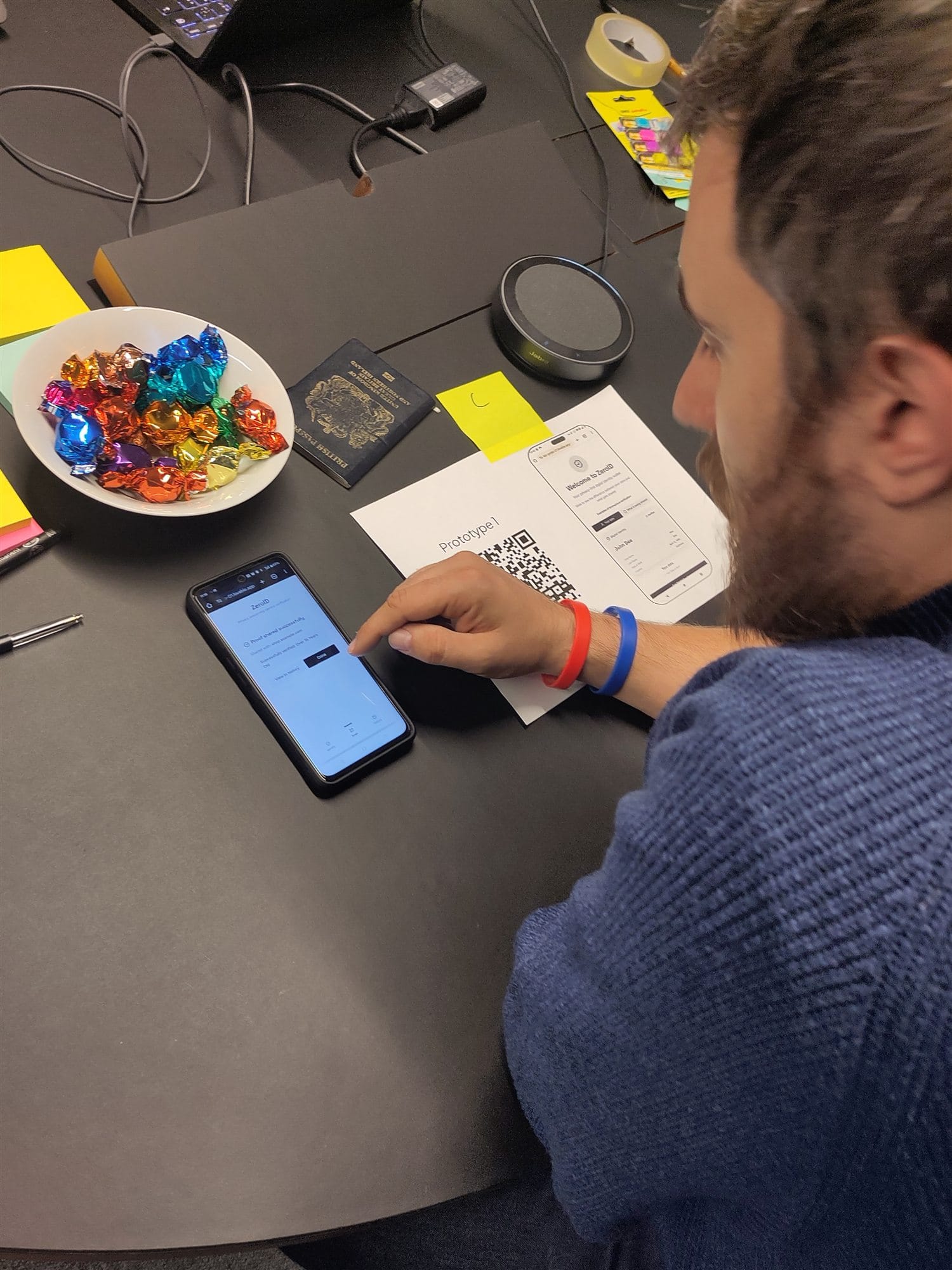
I built the prototypes fast with AI, then took them to London, to non-technical people who owed the claim nothing, and watched them try to prove who they were.
What we learned · 1
Privacy you can see beats privacy you're promised.
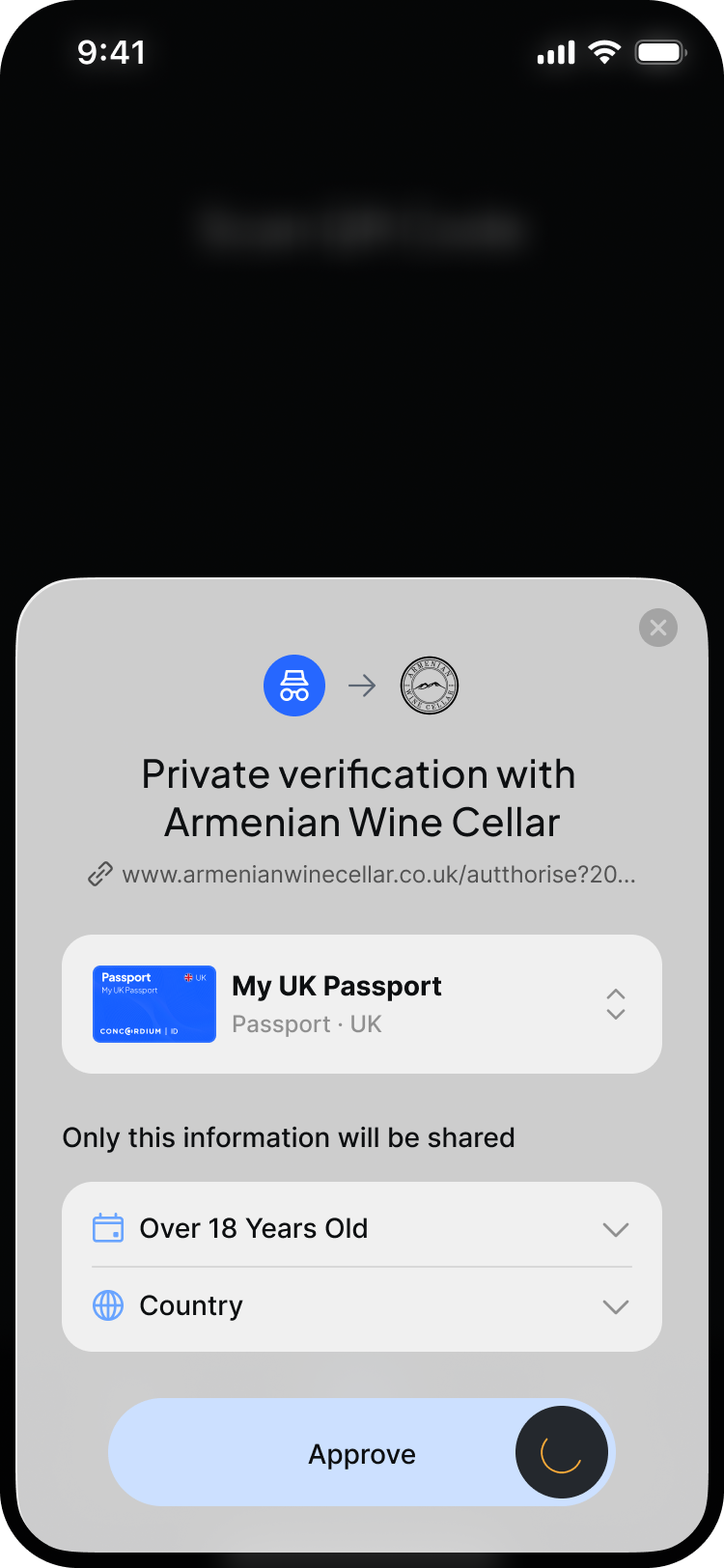
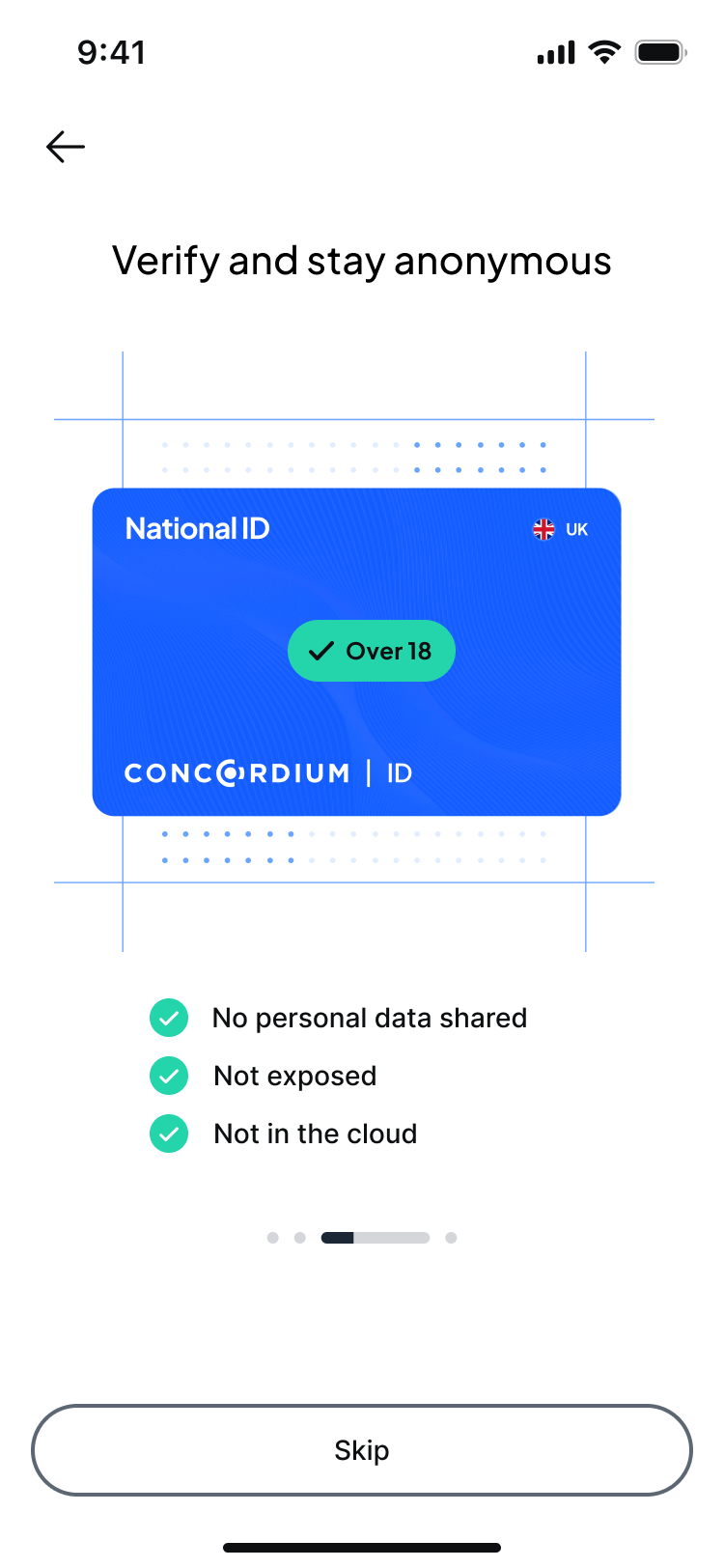
People don't weigh a privacy claim. They watch what the app does. So the screen shows exactly what's shared, and nothing else.
What we learned · 2
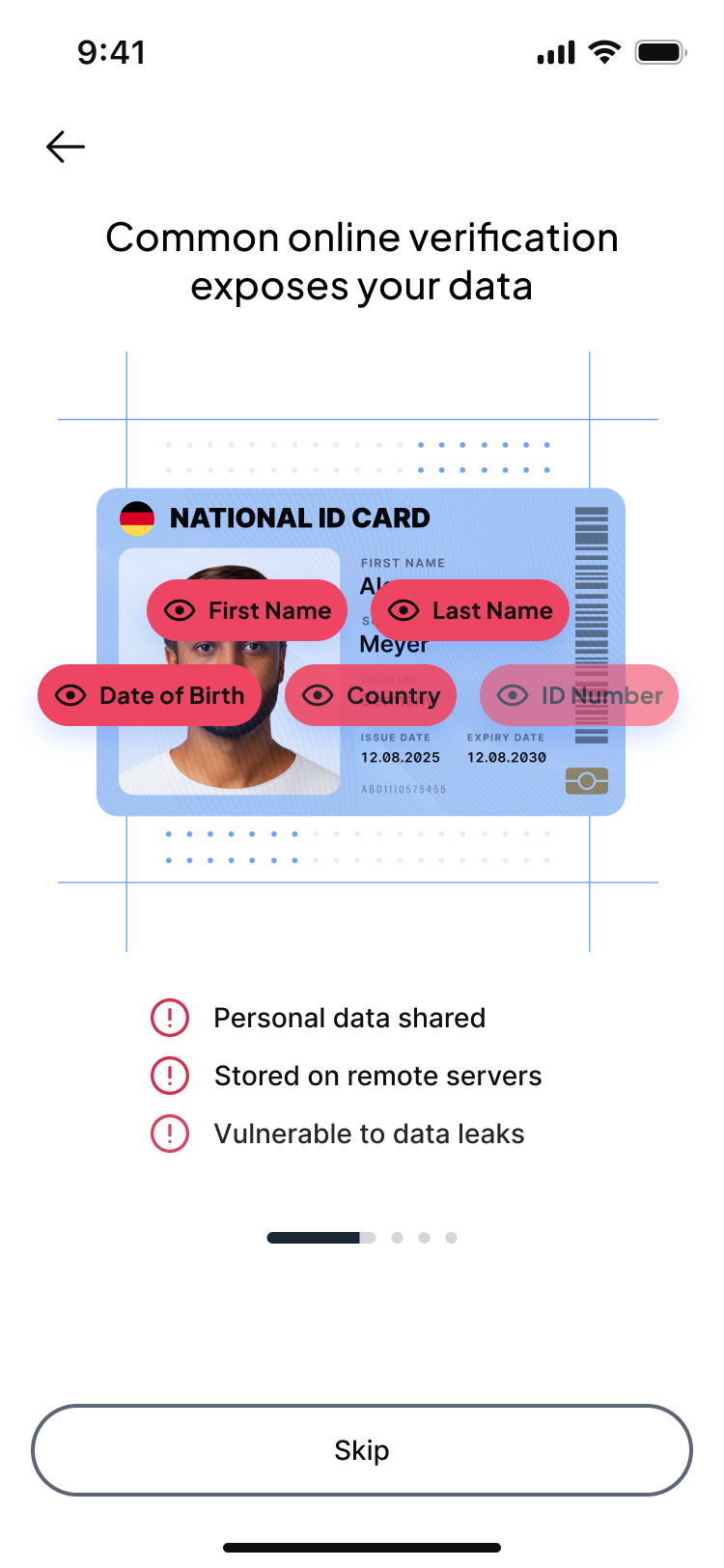
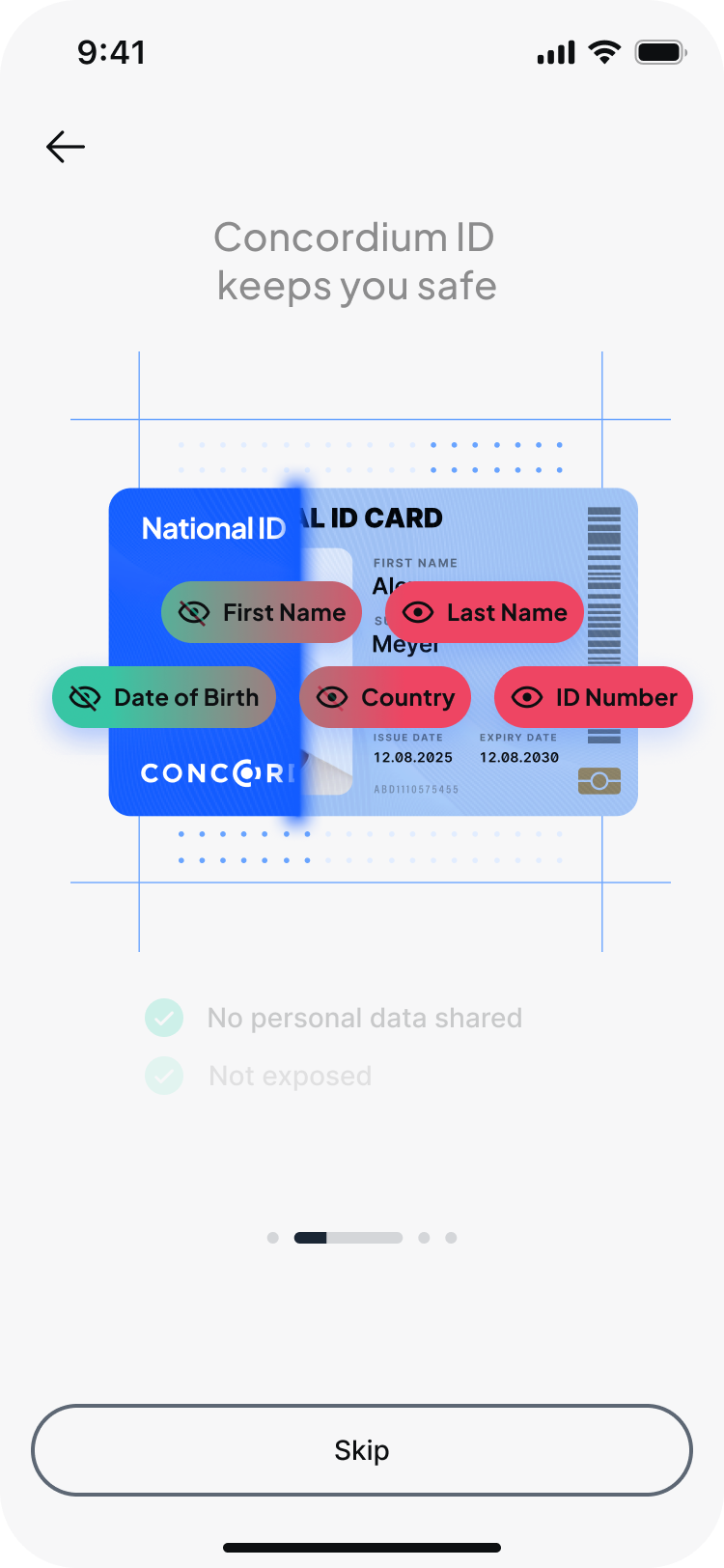
Explaining “zero-knowledge proofs” spent trust, not built it.
An unfamiliar term reads as something to take on faith, the opposite of feeling shown. So we showed instead: a plain promise and a simple visual.
What we learned · 3
What feels appropriate is set by the moment, not the feature.
The same disclosure felt safe in one context and intrusive in another. So each proving moment asks only for what it genuinely warrants.
What happened
0 → 1
from early concept to a launched app the community keeps using.
Once the prototypes had earned their answers, I led the design team in turning them into the real product, holding the line on the research the whole way: privacy felt, shown rather than asserted, and tuned to each moment. It shipped to the community by the end of the year, and has been growing ever since.
The hard partNot shipping. Holding the line on “show, don't assert” all the way through the build.
Looking back
What I'd carry forward
My first instinct was to explain the mechanism. Surely if people understood zero-knowledge proofs, they'd trust it. They didn't; explaining quietly cost trust. Some early AI mockups had the opposite flaw: privacy that read beautifully in a demo but skipped the moment someone actually decides to believe it.
Both got fixed by testing with people who owed the claim nothing. Next time I'd trust “show, don't tell” from the start.